Thomson Reuters: UX/UI Design Sprint/Prototype
Type: UX / UI / Research / HCD / Design
Client: Thomson Reuters
Role: Lead UX/UI Product Designer
Design Sprint: REVIEW »
Prototype: LAUNCH »
Design System: DISCOVER »
Challenge:
Integration of new design system components and capitalizing on past research opened an opportunity to launch a design sprint across three key areas: Product Overview, Plans and Pricing and Guided Selling.
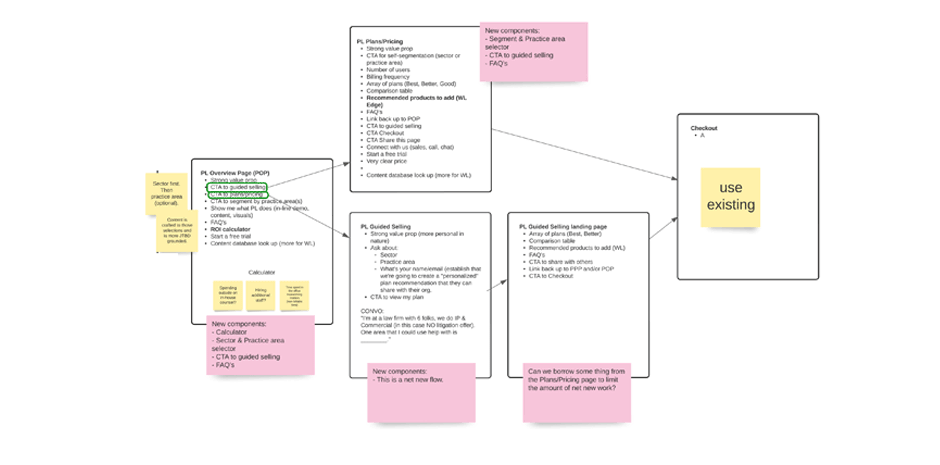
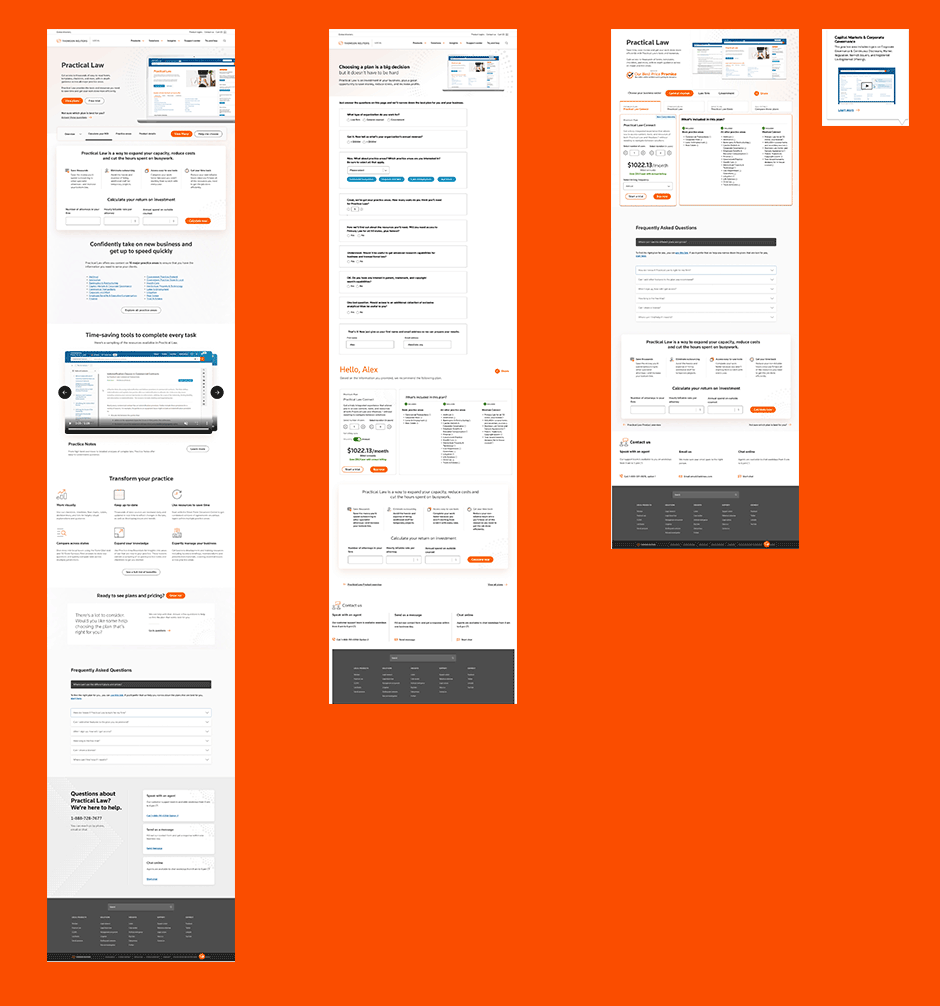
Each of these sections are managed by different teams and collaborative solutions were at the forefront of this initiative. At the forefront of this effort was testing several new reusable components. Included in this was reformatted content heirarchy, ROI calculator, minimized and prioritized content for product overview, two optional paths for users. First, the traditional path leading directly to plans and pricing, the second using a series of questions to guide users to product solitions based on their responses.
Process:
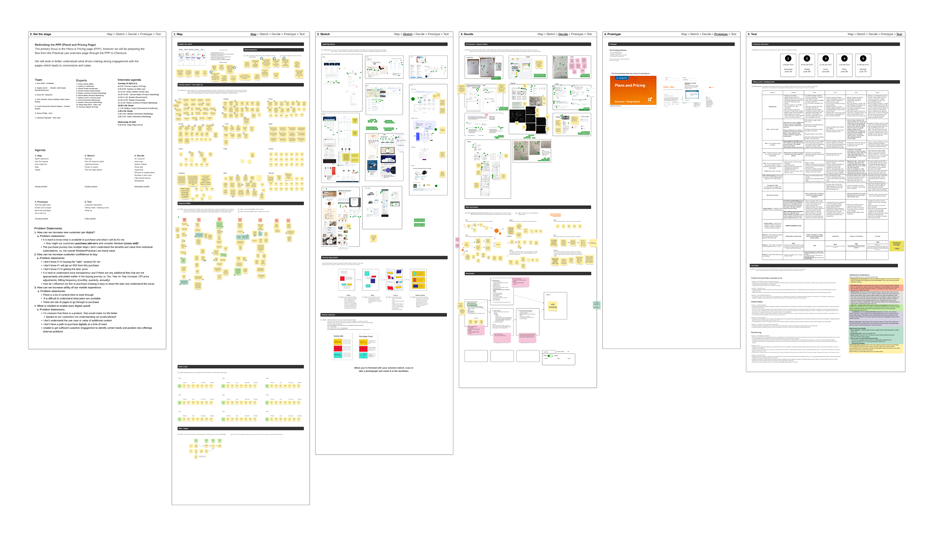
A week long design sprint was initiated to tap into twelve stake holders needs and define what could be leveraged across the platofm and what we might add to the page flows to overcome the various user challanges.
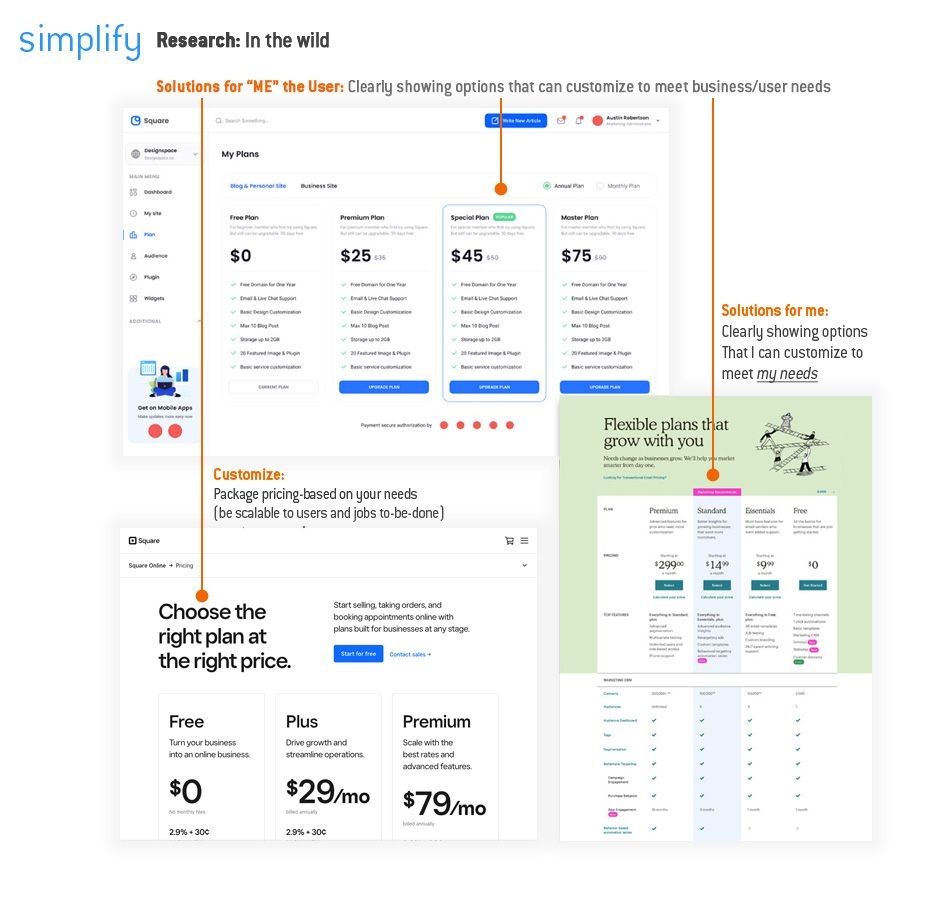
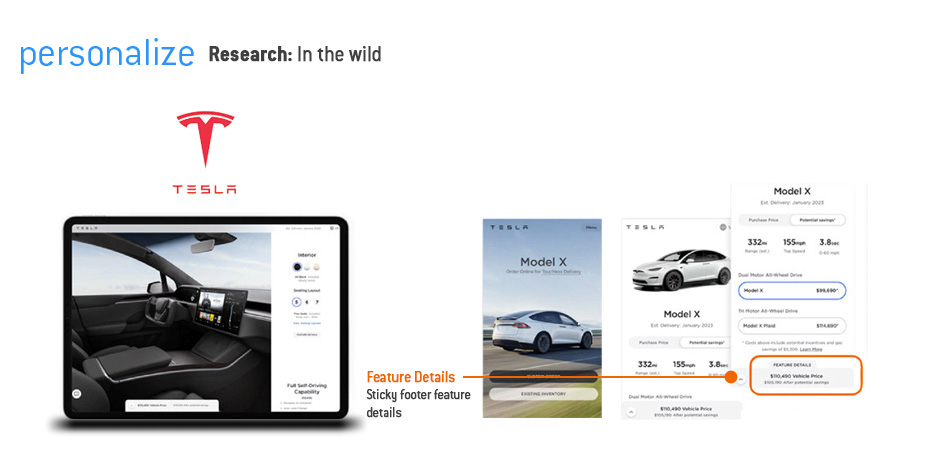
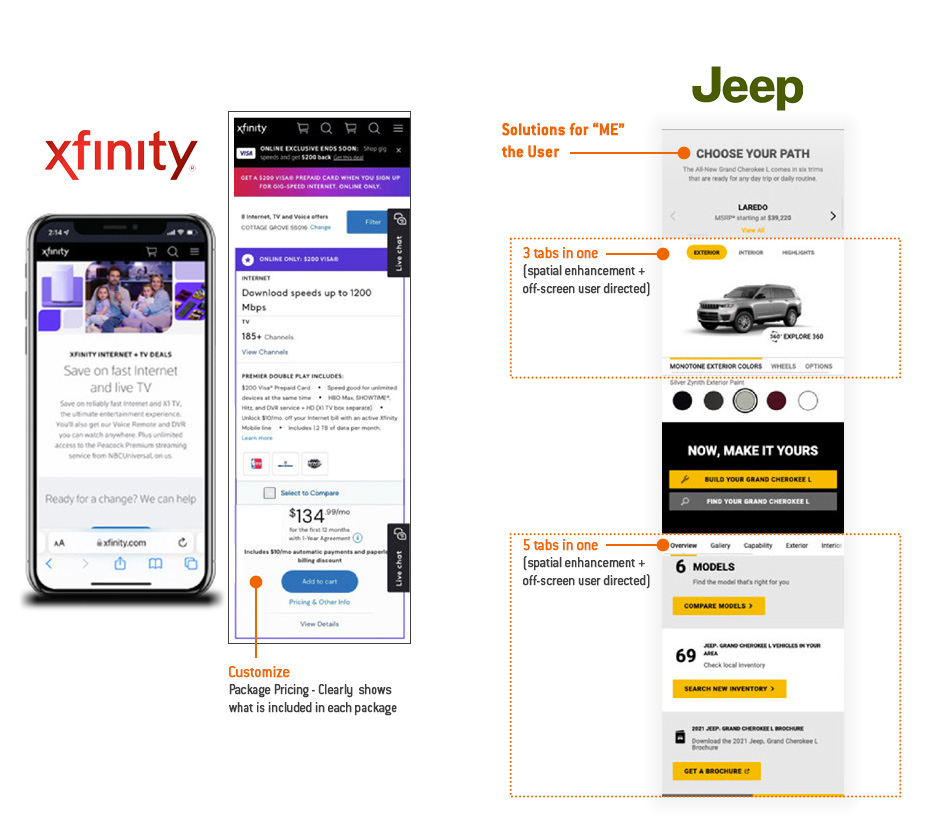
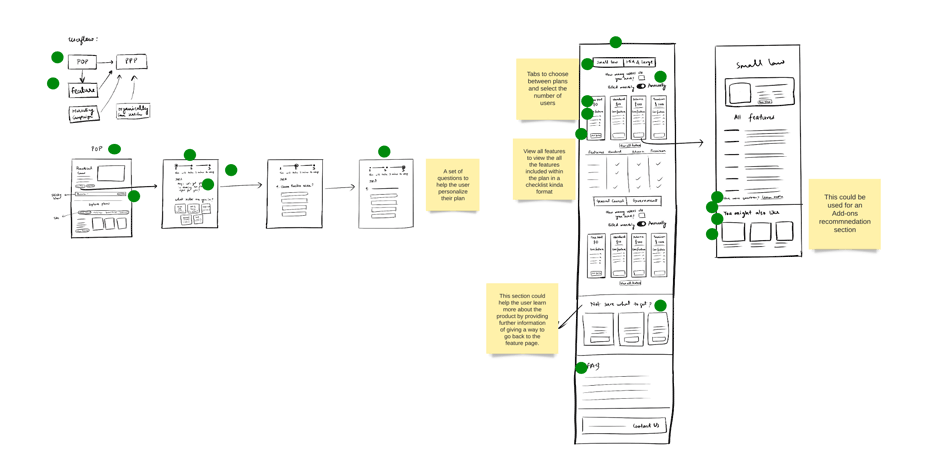
Interviews were conducted and phase one consisted of: Identifying Sprint Questions, Ask the Experts, How Might We process and Prioritization. In the wild findings for compariable solutions and needs. Lighting round voting was conducted. Sketches based on the workflows and features was conducted and voted on. Prioritization of What we should test was conducted and refined.
Results:
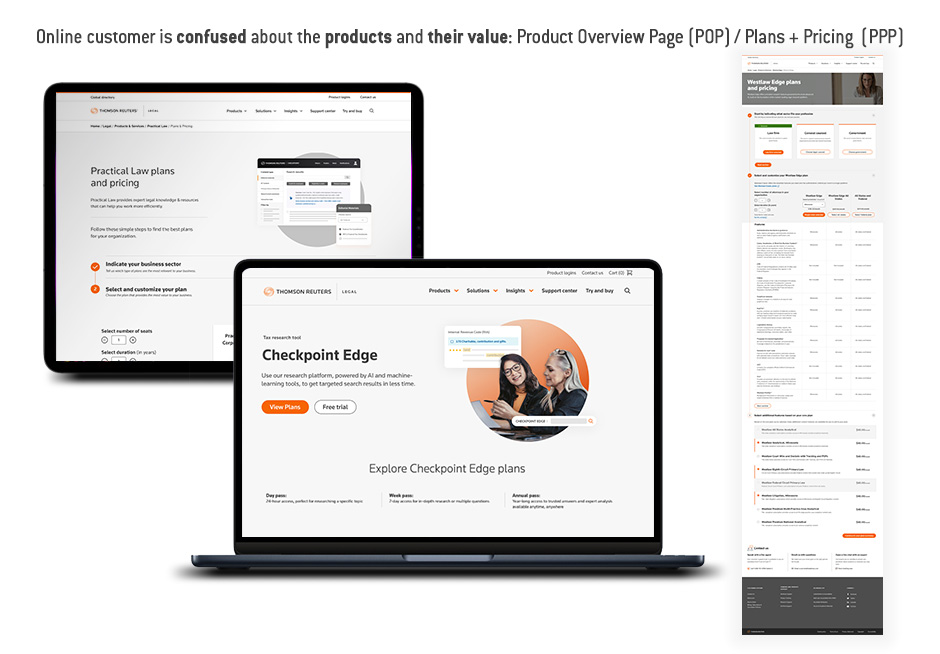
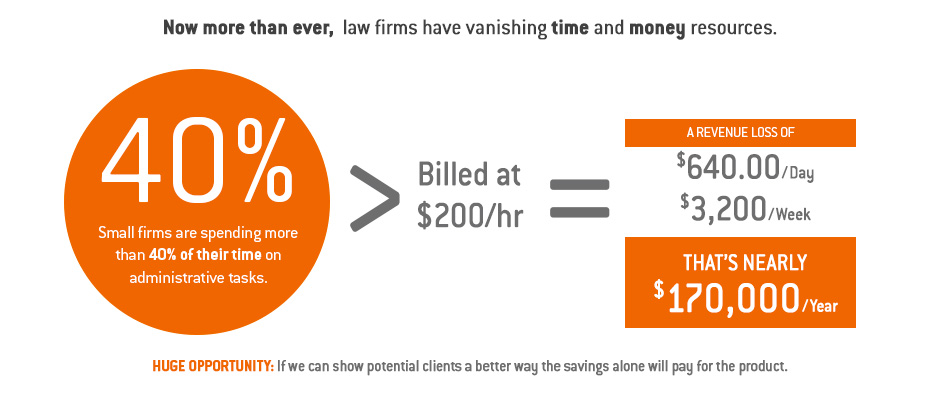
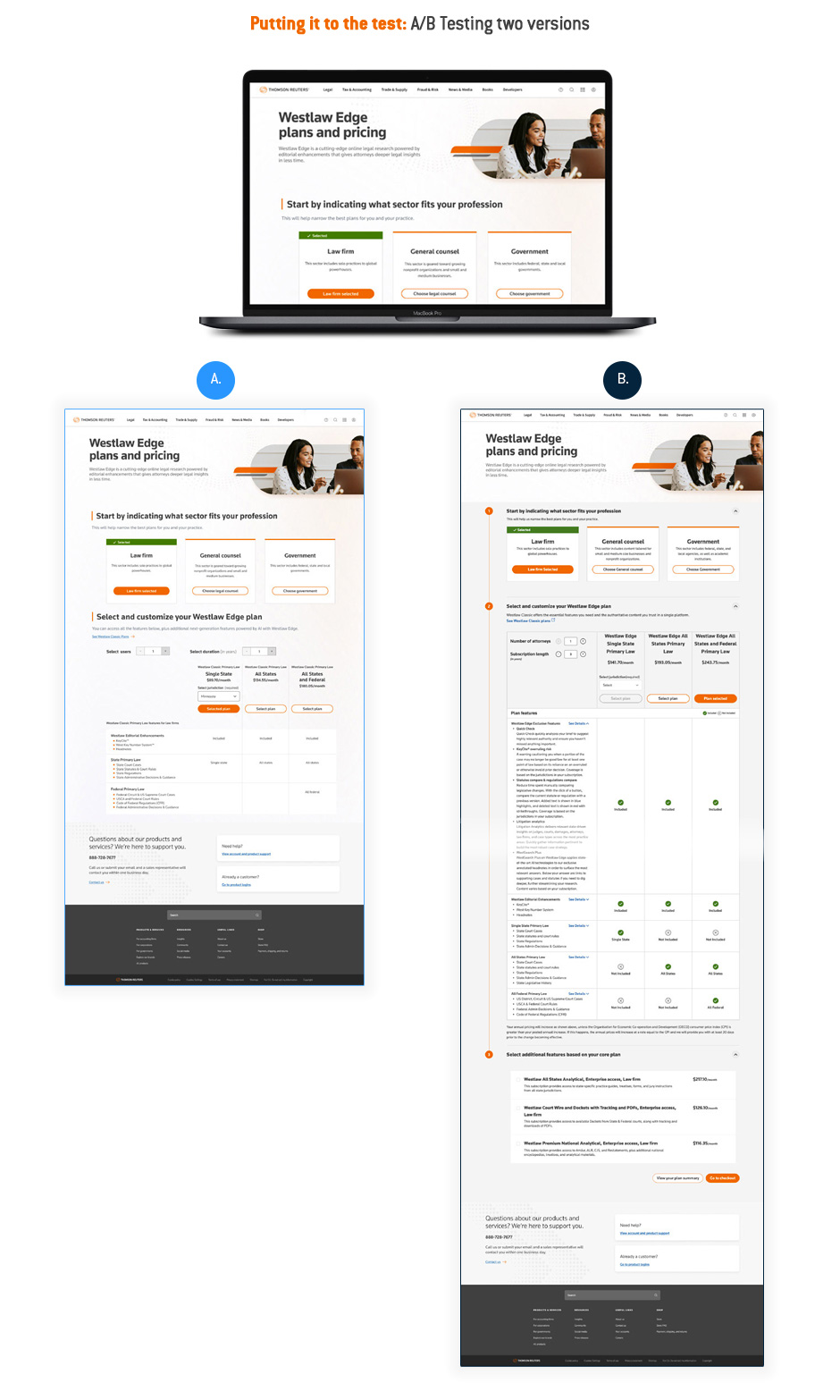
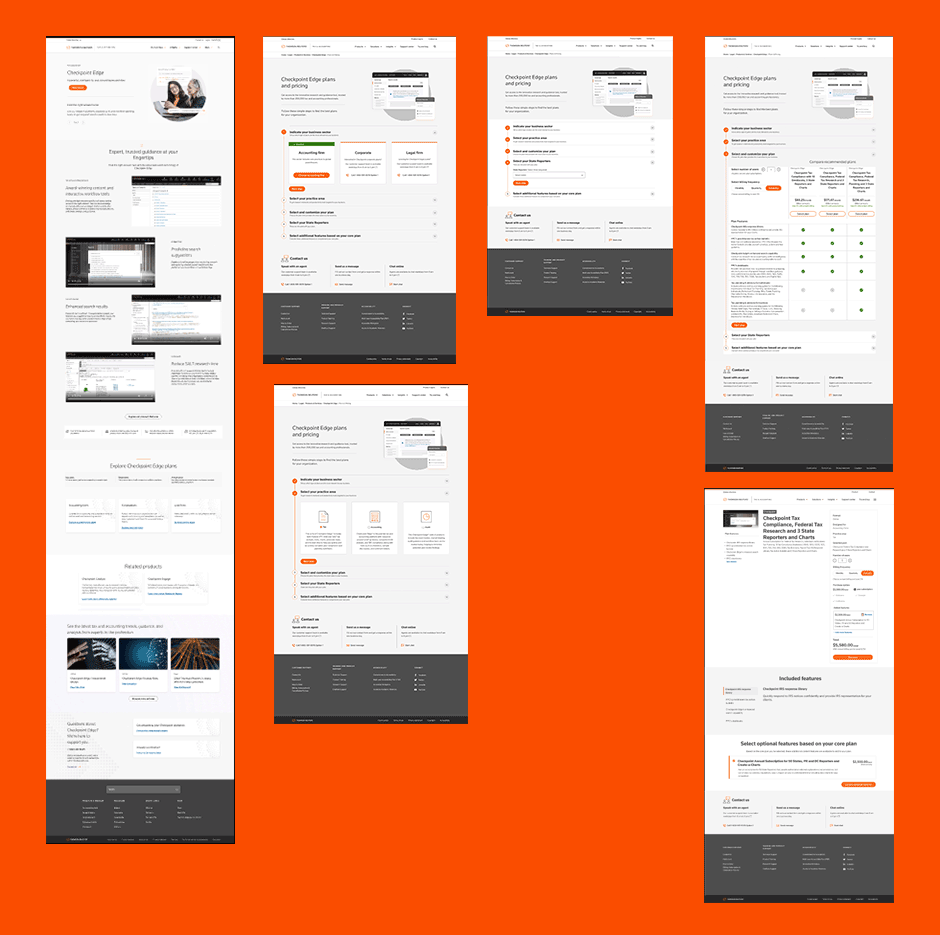
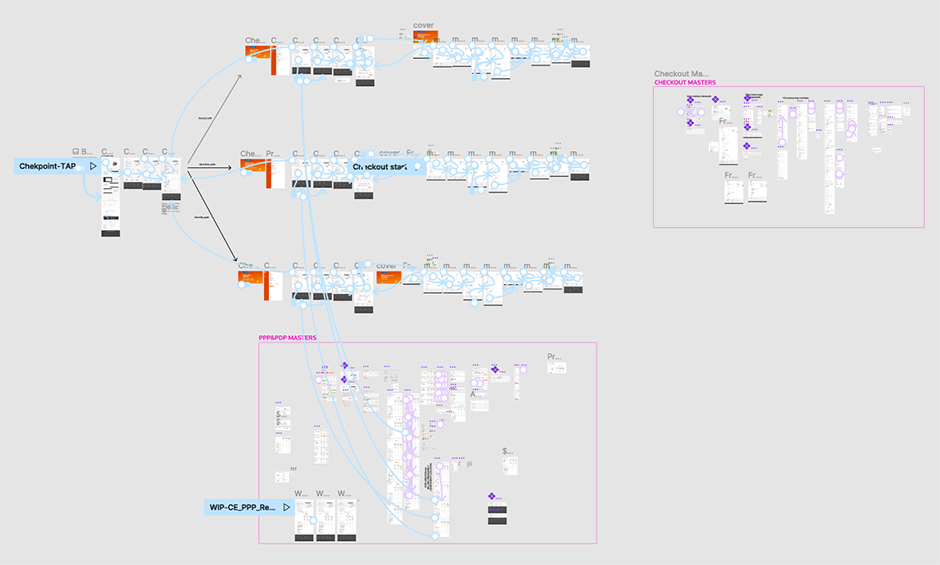
Prototypes that started with plans and pricing page, offered two paths: traditional plans and pricing and a guided selling path were explored. A focus on reusable components, the direct paths to the primary pages as well as ways of showing return on investment and more solid tangable returns on the products, features and capabilites.
UX/UI + HCD:
Continually putting users at the center of the process, I have managed, advocated and facilitated user-centric methodologies supporting project outcomes and strategic goals. This resulted in a highly-successful, high adoption rate and award-winning results both from a usably and design stand-point as well as highly functional solutions for CMS backend for third-party up-fitters allowing them to adapt the products that they develop into a user-friendly market focused solution. This design sprint is just one of many solutions that have resulted in quantifiable results reacting to user challenges, business, conversion and sales goals, KPIs, design standards of practice and ultimately a more enjoyable user experience overall.
Processes Used:
- Design Sprint Workshop
- Stake Holder Expert Interviews
- Card Sorting and Prioritization
- Collaborative Team Voting
- Invormation / UX Architecture
- Site Maps + User Flows
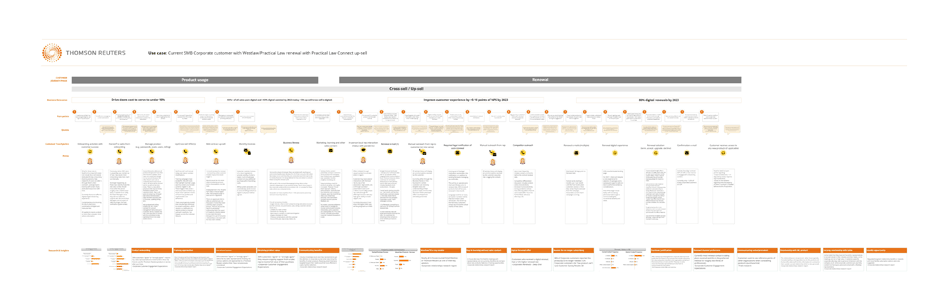
- Journey Mapping
- Lo-fidelity Sketching
- Product Features Analysis
- User Testing Prioritization
- Lo-fidelity Features Exploration
- Functional Prototypes
- User Testing Sessions
- Results Implementation/Planning
Defining the Problem:
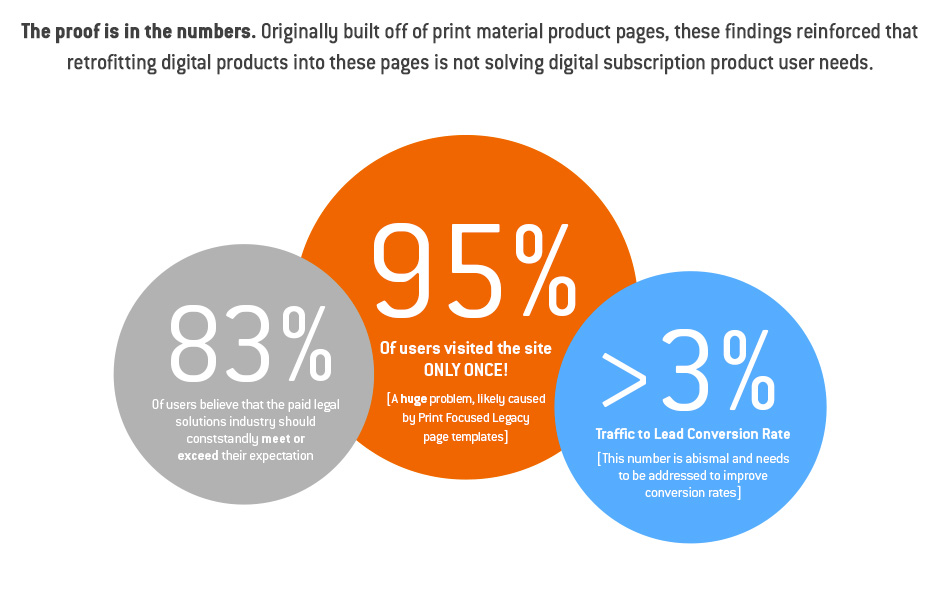
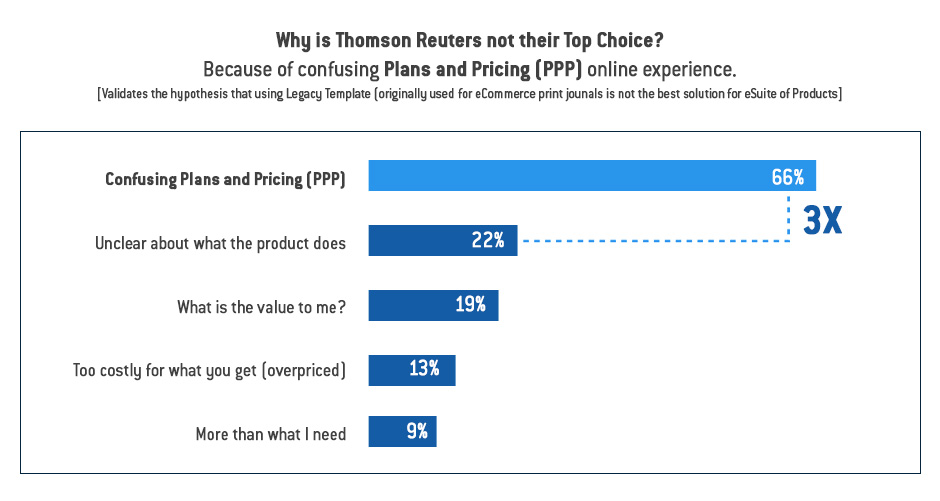
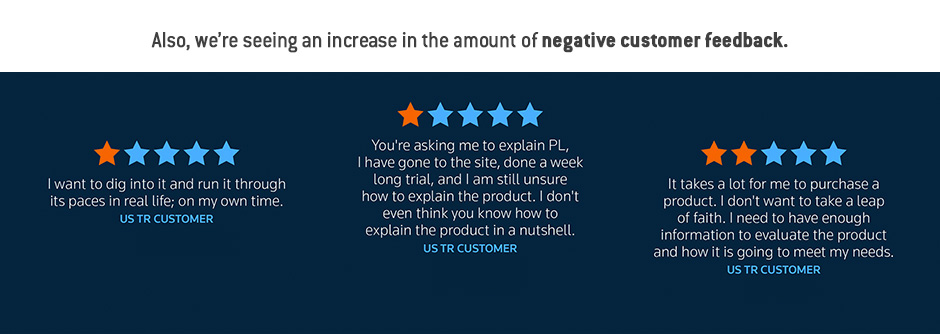
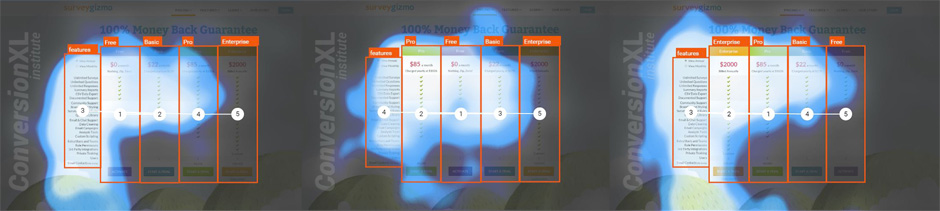
User Needs: Historically the Plans and Pricing Page (PPP) has been a challenge for users. Business stake-holders found it difficult prioritizing the Prodct Features across plans with heirarchy importance since many had no previous data to support the priority decision. Users needed to be further engaged to help determine what was most important to them across the product offerings. Also, the PPP was a central location of pushing omni-channel marketing solutions and a landing page within severl user journeys. Past designs relied on page templates and patterns used for traditional print solutions not SaaS. This added additional layers of complexity when analyzing what was and wasn't working on the page.
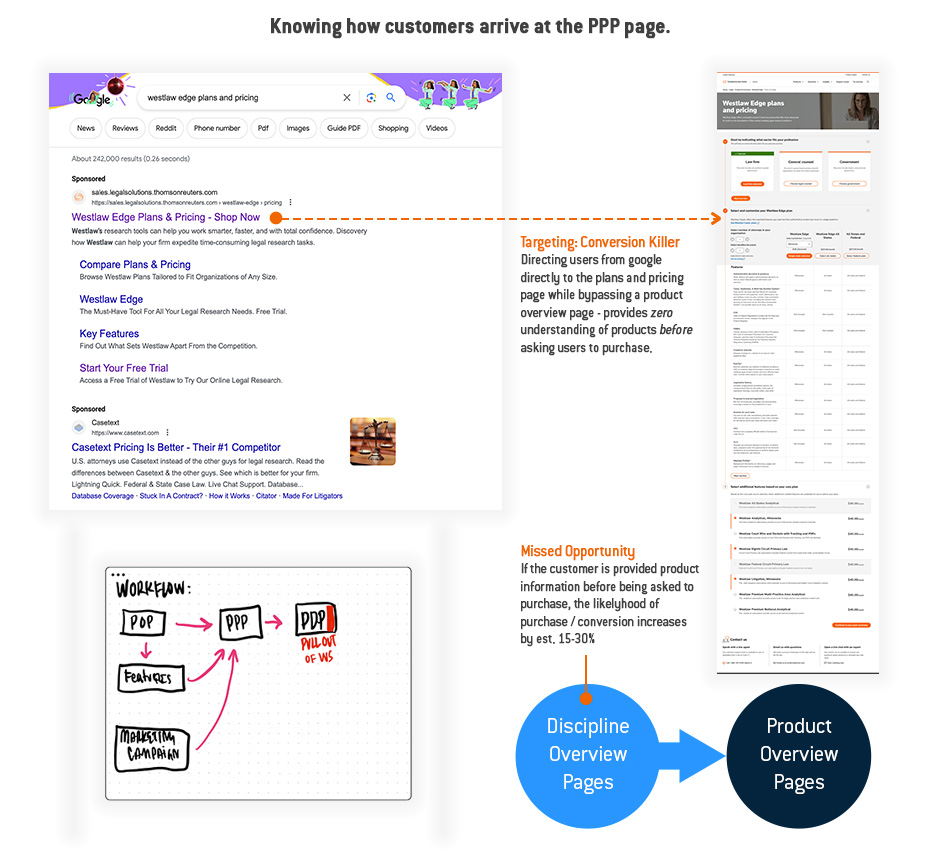
Looking at the Product Overview Page (POP), Plans and Pricing Page (PPP), Product Details Page (PDP) as well as looking at a Guided Journey solution for users who were less familiar with the products was initiated during a Design Workshop for a Design Sprint.
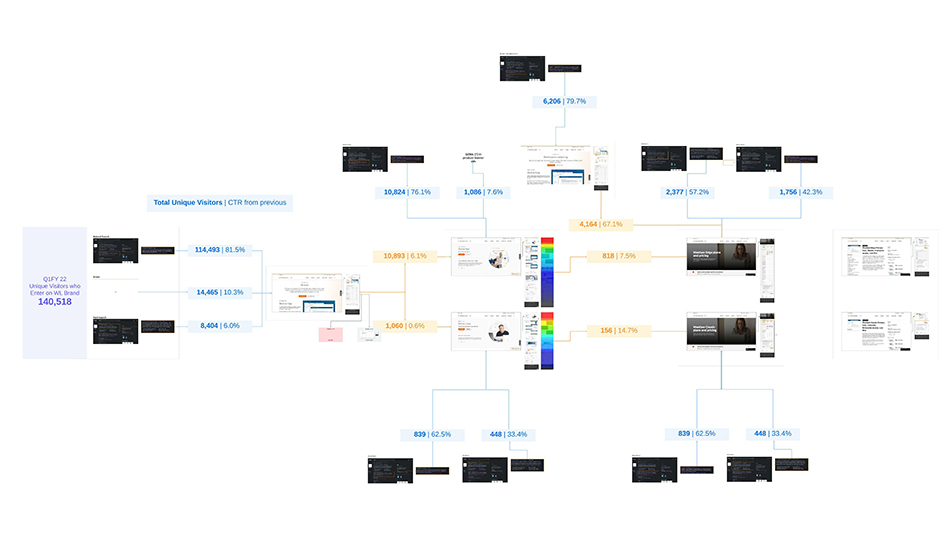
To better understand what drives users to make a product purchase. Focus on making strong user-engagements on the pages which leaing to improved conversions rates, and incremental sales.
Design Principals:
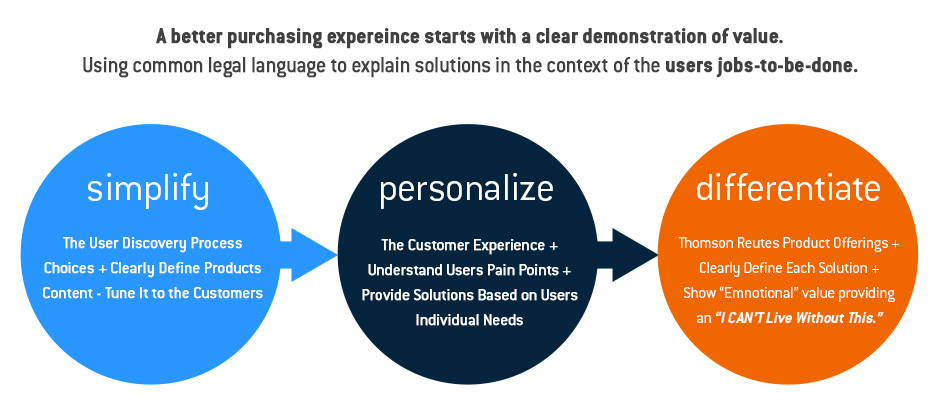
- Show a product's purpose and value quickly and clearly.
- Illustrate how a product can integrate into a customer's life and workflow.
- Make wayfinding easy so users have a strong sense of place.
- CTA's should be used judiciously, be there when a customer is ready, and not pusy or accessive.
- Develop design system structure that enabels scalability across Digital Commerce Platform (DCP).
Content Principals:
- Prioritize feature value and benefits over name.
- Streamline features into more heirarchital methodology.
- Content Heirarchy: Determine what that page content heirarchy is, what is most important to users, and what can be done to enhnace the user expericence.
- Communicate how you know the customer, their challenges, and why those challenges matter.
- Our messaging must be intentional, clear, and simple.
- Product language should be less busines and more user/solution/outcome focused.
Content Hierarchy: Determine which content is most important, what that page content heirarchy is and what can be done to enhnace the user expericence, provide deciion making informaiton and ultimately improve page converson and performance.
Problem Statements:
- How can we increase new customer per digital sales?
- It is hard to know what is available to purchase and what it will do for me
- How might our customers purchase add-on's and consider Westlaw (cross sell)?
- The purchase journey has multiple steps I don't understand the benefits and value from individual subscriptions vs. the overall Westlaw/Practical Law brand value
- How can we increase customer confidence to buy?
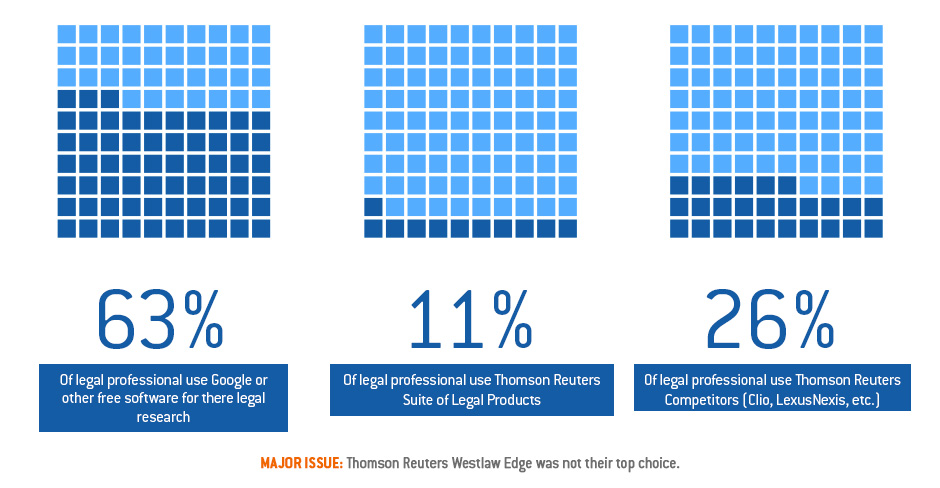
- I don't know if I'm buying the 'right' product for me
- I don't know if I will get an ROI from this purchase
- I don't know if I'm getting the best price
- It is hard to understand price transparency and if there are any additional fees that are not appropriately articulated earlier in the buying journey i.e. Tax, Year on Year increase, CPI price adjustments, Billing frequency (monthly, quarterly, annually)
- How do I influence my firm to purchase(making it easy to share the plan and understand the price)
- How can we increase utility of our mobile experience?
- There is a lot of content here to work through
- It is difficult to understand what plans are available
- There are lots of pages to go through to purchase
- It is hard to understand price transparency and if there are any additional fees that are not appropriately articulated earlier in the buying journey i.e. Tax, Year on Year increase, CPI price adjustments, Billing frequency (monthly, quarterly, annually)
- How do I influence my firm to purchase(making it easy to share the plan and understand the price)
- What is needed to enable pure digital upsell?
- I'm unaware that there is a product that would make my life better
- Speaks to our customers not understanding our product/brand
- I don't understand the use case or value of additional content
- I don't have a path to purchase digitally at a time of need
- Unable to get sufficient customer engagement to identify unmet needs and position new offerings (internal problem)

What does success look like?
- A product sales tool aligning with Ford brand design and a front-end framework that allows for future expansion. Impactful adoption and minimal customer attrition launching on schedule with powerful features and room to evolve over the course of time.
Phase 1: Product MVP with Three OEM Upfitters including a CMS backend tied into products, pricing and fulfillment.
- Phase 2: Back-end Analytical Real-time data tracking, manufacturing tracking, real-time vehicle status. Product training launch and product roll-out.
- Phase 3: Analytics implementation, B2C segmentation, product analysis and consumer facing implementation.
Select the Design Sprint to review the process, Prototype Launch button to see the prototype Design.